source safety
Is Legacy Launcher Safe?
Legacy Launcher safety depends on where you download it, which file you run and what claims the page makes. This guide explains practical checks for the Legacy Launcher GitHub release, platform files and risky Minecraft LCE download promises.
safe download checklist
What to verify before installing
- Version
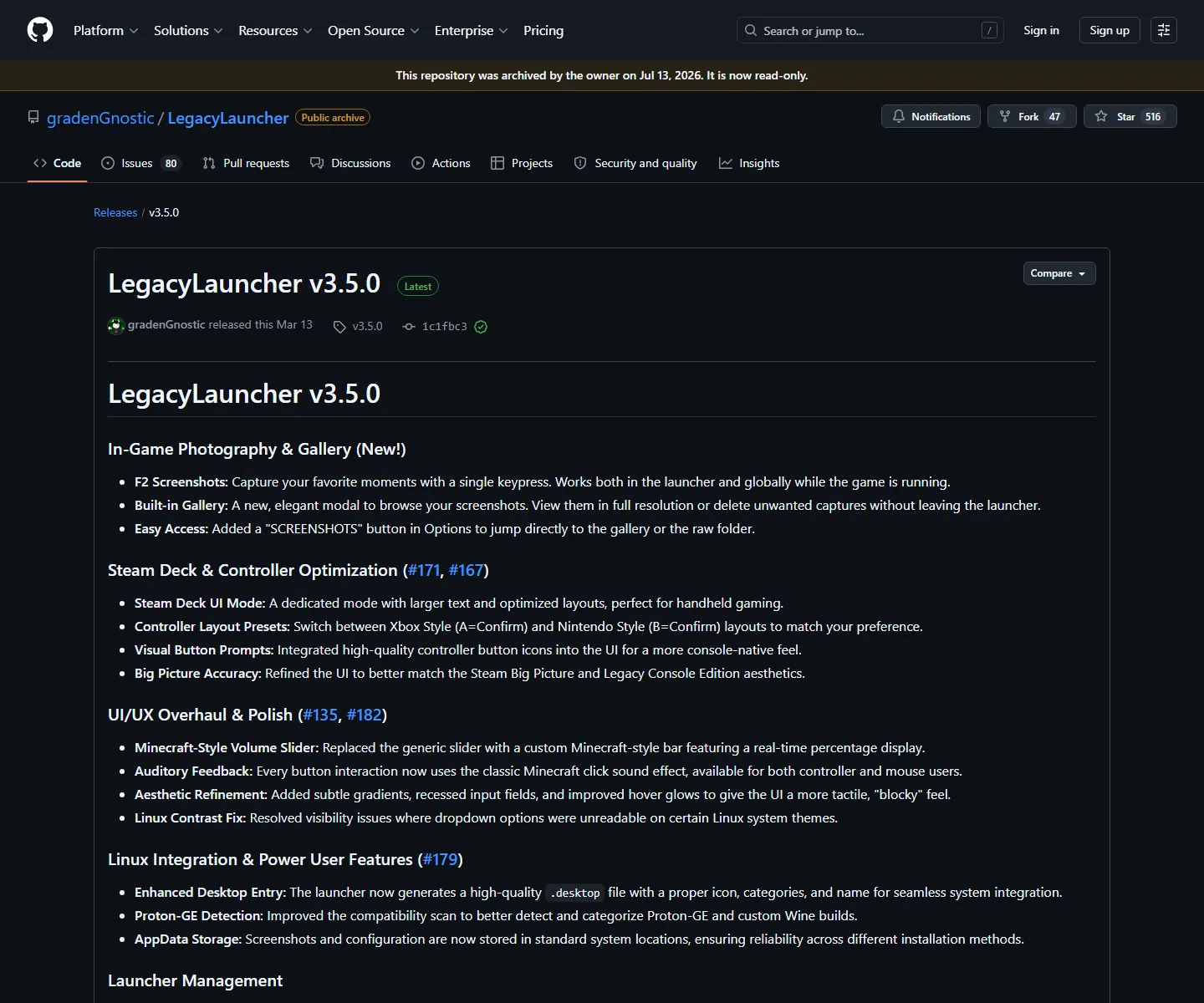
- v3.5.0 on the checked release page
- Source
- GitHub Releases, not a reuploaded mirror
- File match
- EXE, DMG or AppImage name matches your platform
- Claims to avoid
- Free accounts, cracked builds, bundled game files or bypass tools
source checks
How to check whether a Legacy Launcher download is safer
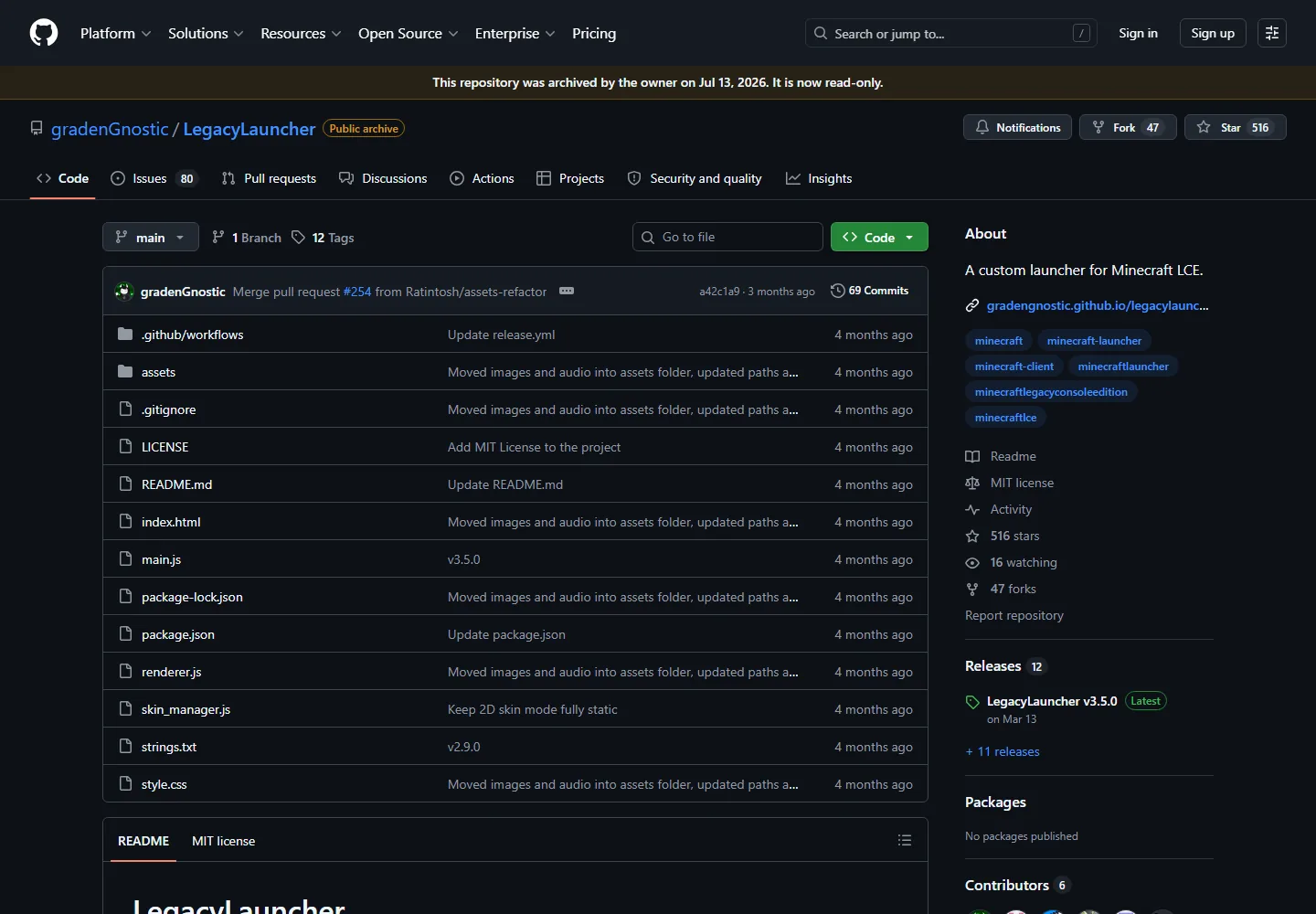
Start with the project repository and GitHub release page. A safer download path should make the version tag, release date, asset file name and platform clear. LegacyLauncher.wiki links to the GitHub release asset after a countdown instead of hiding the destination behind a file-hosting mirror.
No independent guide can promise that every downloaded executable is risk-free. What a guide can do is reduce avoidable risk: avoid unknown mirrors, do not run repackaged installers, compare file names with the source release, and read release notes before installing.
- Prefer source release links over third-party mirrors.
- Check that Windows, macOS and Linux files match the release page.
- Use antivirus or system security tools according to your own risk tolerance.
- Treat bundled game files or free account claims as red flags.
scope
What LegacyLauncher.wiki does not provide
This site does not host Minecraft game files, leaked archives, accounts, cracks, keys or bypass tools. That is both a legal boundary and a safety boundary. Search terms around Minecraft Legacy Console Edition can lead to pages that promise a complete game package, but those claims are outside the scope of this download guide.
The site also does not claim to be official. LegacyLauncher.wiki is independent and not affiliated with Mojang, Microsoft, Minecraft or the Legacy Launcher project. Use the GitHub repository when you want to inspect source activity, issues, releases and project ownership.
safety scoring
Is Legacy Launcher Safe before download?
Is Legacy Launcher Safe is a sensible question because download keywords attract mirrors, typo domains, repackaged installers, and pages that promise too much. The safest answer is not a blind yes. The safer answer is to verify the source, version, file name, platform, and claims before running any installer.
Is Legacy Launcher Safe when downloaded from GitHub Releases? Source release links are more transparent than unknown mirrors because you can inspect the project, release tag, assets, issues, and update history. That still does not remove all risk. It gives you a better basis for deciding whether to run the file on your own system.
Is Legacy Launcher Safe when a page bundles Minecraft files or free accounts? Treat that as a red flag. LegacyLauncher.wiki does not provide those things. A launcher download should be the launcher application only, and a safety-focused page should say that plainly instead of hiding the boundary.
- Check source domain and release tag.
- Check file name and operating-system match.
- Avoid free account, crack, leak, and bundled game claims.
- Use your own security tools before running executable files.
risk decisions
How to decide whether Legacy Launcher is safe enough for you
No website can decide your risk tolerance for you. If you ask Is Legacy Launcher Safe, use a layered answer. Start with the source page, then compare the file, then review system prompts, then decide whether the launcher fits your use case. If any layer feels wrong, stop and investigate before running the file.
The same logic applies to updates. A future release may be newer than the one currently checked on this site. When that happens, the safe path is to compare the new release page, read notes, and make sure platform assets still match the project. Do not trust a page that says latest version without showing where that claim came from.
For users who reached this page from Minecraft LCE searches, the safety boundary is especially important. Legacy Launcher can be discussed as a community launcher, but this guide does not make unofficial game downloads safe, official, or endorsed. Keep the software source and the game-file question separate.
- If source is unclear, do not download.
- If file name is unexpected, do not run it.
- If the page promises more than a launcher, treat it carefully.
- If a newer GitHub release exists, verify it before trusting old page copy.
trust workflow
Is Legacy Launcher Safe trust workflow
The question Is Legacy Launcher Safe should be answered with a checklist, not a slogan. A safe-looking page can still lead to a risky file if it hides the source. A plain GitHub link can still require user judgment. The best answer combines source transparency, platform matching, version checks, and honest limits.
When someone asks Is Legacy Launcher Safe, they often want to know whether the file is official, scanned, endorsed, or risk-free. LegacyLauncher.wiki should not invent those claims. Instead, it explains that GitHub release assets are more inspectable than mirror downloads, while still reminding users to apply their own security tools and judgment.
The safety workflow also includes claim review. If a page says Legacy Launcher includes Minecraft, unlocks paid access, provides accounts, or bundles a complete game, that page is no longer a simple launcher download guide. Is Legacy Launcher Safe becomes a broader risk question, and the safest response is to avoid that claim.
For normal users, the practical steps are simple: use the source release, compare file names, avoid bundled extras, and stop when a download path changes unexpectedly. Those steps do not require deep technical knowledge, but they prevent many common download mistakes.
A future release can change the safety review. If Legacy Launcher publishes a new tag, the question Is Legacy Launcher Safe should be revisited with the new release notes, new assets, and current project activity. This page records the checked version so users know the context of the advice.
- Is Legacy Launcher Safe should identify the source before the click.
- Is Legacy Launcher Safe should explain the expected platform file.
- Is Legacy Launcher Safe should keep launcher files separate from Minecraft game files.
- Is Legacy Launcher Safe should link users to the next most relevant guide.
final safety check
Final Is Legacy Launcher Safe check
Before answering Is Legacy Launcher Safe for your own device, confirm the release source, compare the platform file, and reject any page that adds unrelated promises. The safer path is transparent and boring: GitHub release, expected file name, normal operating-system prompt, and no bundled game claims.
safety FAQ
Legacy Launcher safety FAQ
Is Legacy Launcher safe to download?
Use source release links, check file names and avoid unknown mirrors. No executable is risk-free, but downloading from the GitHub release is safer than using repackaged files.
Can this site verify every file?
No. LegacyLauncher.wiki records the checked release details and links to source assets, but users should still apply their own system security checks.
Are free account pages safe?
Treat free account, cracked build or bundled game-file promises as red flags. This site does not provide those things.
Is LegacyLauncher.wiki official?
No. It is an independent guide and is not affiliated with Mojang, Microsoft, Minecraft or the Legacy Launcher project.